Edit Patient Metadata
Unlike anonymization, the Edit Metadata tool only replaces the information contained in a select few DICOM Tags. First click the button on the toolbar with the icon below.
The dialog below will open. Fill in any fields whose DICOM Tag values you want to replace. Any field that is left blank will remain unchanged. Certain fields like Patient's Birth Date must follow the format specified in the DICOM Standard.
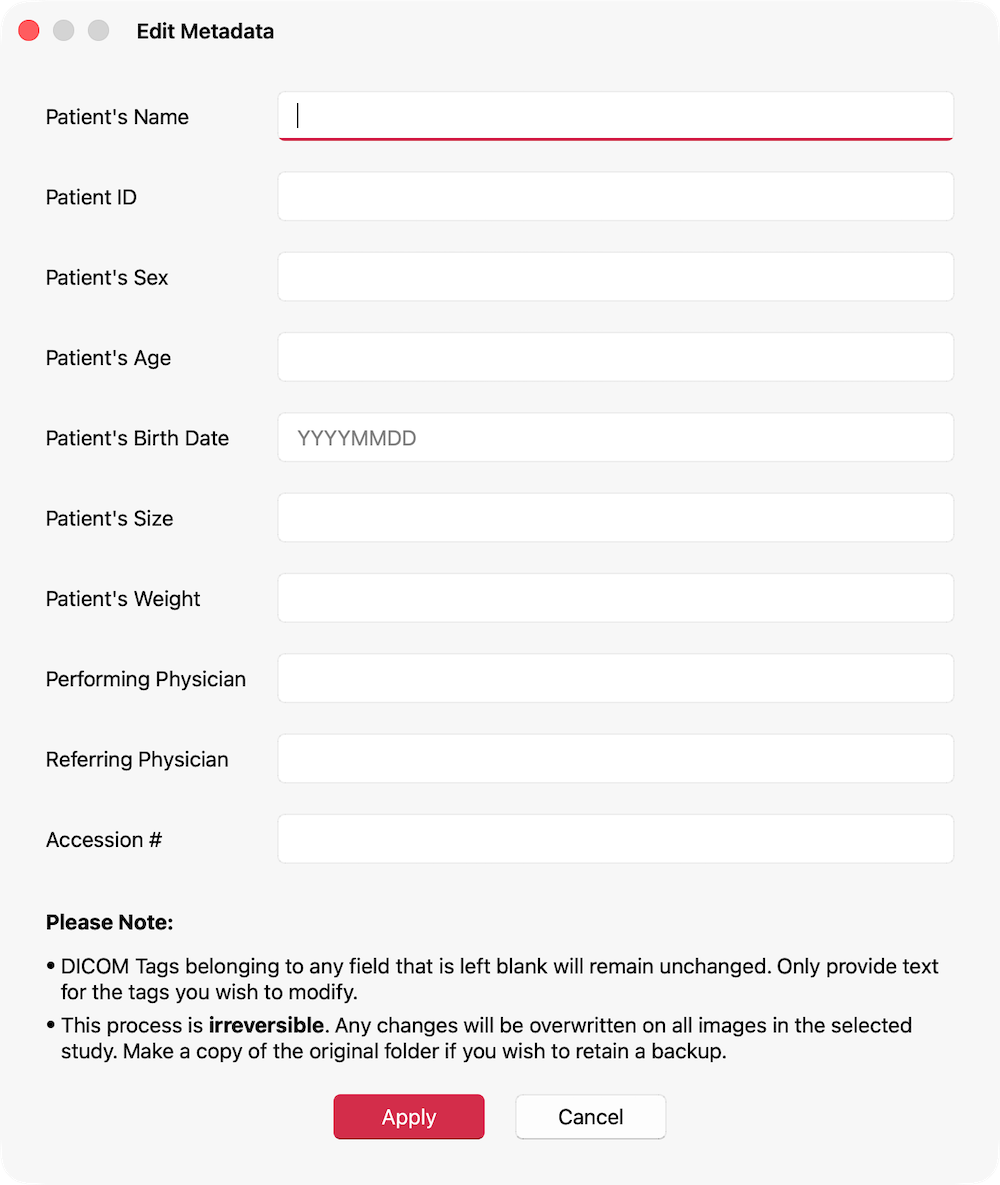
Click Apply to effect the changes. The values provided will replace the originals in all DICOM Files in the selected study. The Study details in the Study Summary & Preview in the Studies Tab will be updated accordingly.
Note: The Edit Metadata tool differs with Anonymization in one crucial way. The anonymization process makes changes to a copy of the selected study. However, here, changes are made to the original. The process is irreversible. It is advisable to make a copy of the original before using this tool, if you wish to retain a backup.